First chat
cd ~/my-reposgpt chatYou land in a new chat tab. The bottom pane is the input; the pane above it is the timeline — the conversation rendered as markdown.
Send a message
Section titled “Send a message”Type, then press ctrl+j. Newlines are plain
enter, so multi-line prompts are natural. For anything long,
alt+o opens $EDITOR.
Watch a tool call
Section titled “Watch a tool call”Ask for something that needs the filesystem:
what does
internal/session/turn.godo?
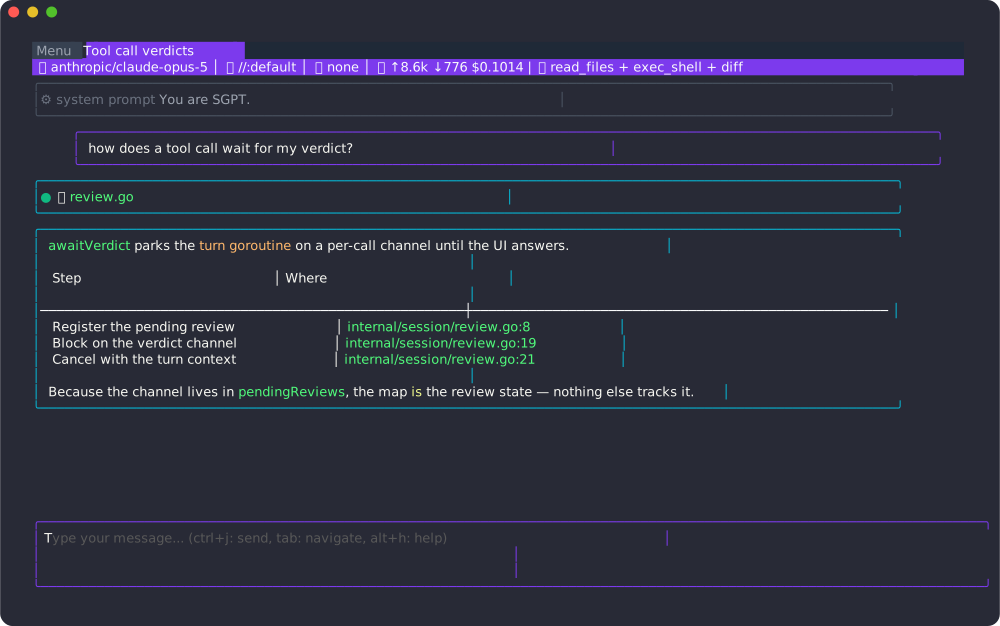
The model calls read_files. Reads are side-effect free, so the call runs
immediately and its result streams back:
Now ask for a change:
rename
pendingReviewtoawaitingVerdict
The model proposes an edit. The timeline shows a unified diff and the status line says a review is pending:
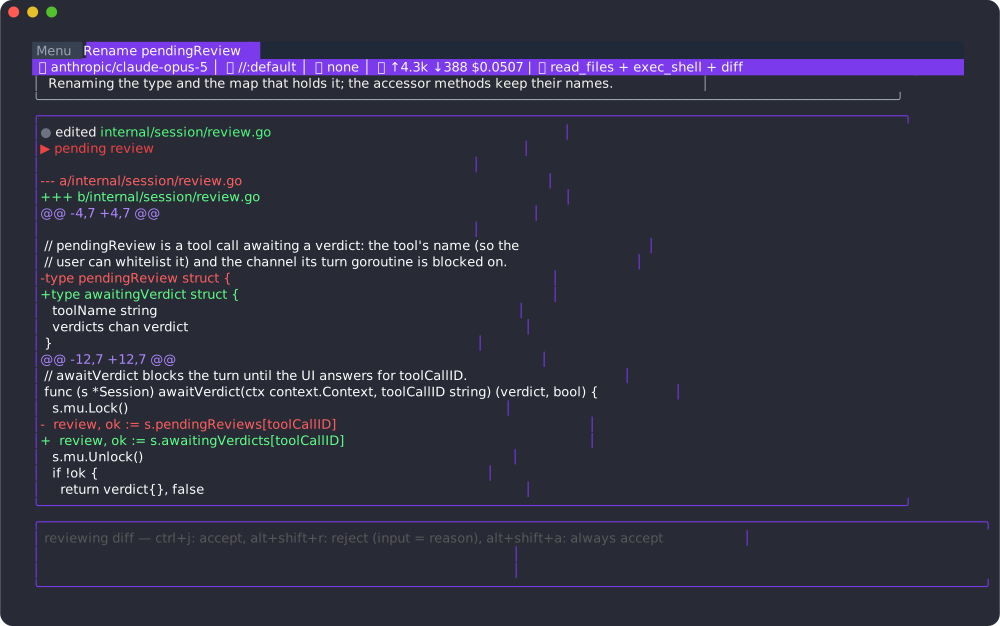
- alt+y accept
- alt+shift+r reject — whatever is in the input box is sent back as the reason
- alt+shift+a always accept this tool for the rest of the session
Inject files
Section titled “Inject files”sgpt chat -f internal/session/... -f go.mod puts files in the context up
front (dir/... recurses, dir is one level). Inside a chat,
alt+shift+e opens a fuzzy picker to add or
remove files; alt+i shows what the context holds and
what it costs.
Pick a role and model
Section titled “Pick a role and model”sgpt chat -r reviewer -m opusRoles come from .sgpt/*.role.md files in the repo (and its imports); see
Roles. Models are resource names or aliases.
Tabs and the menu
Section titled “Tabs and the menu”- ctrl+t new tab, ctrl+w close, alt+j / alt+; switch.
- alt+m opens the menu: every chat for your user, filterable, with favourites (alt+shift+f).
sgpt chat -creopens the last chat;sgpt chat --name <chat>a specific one.
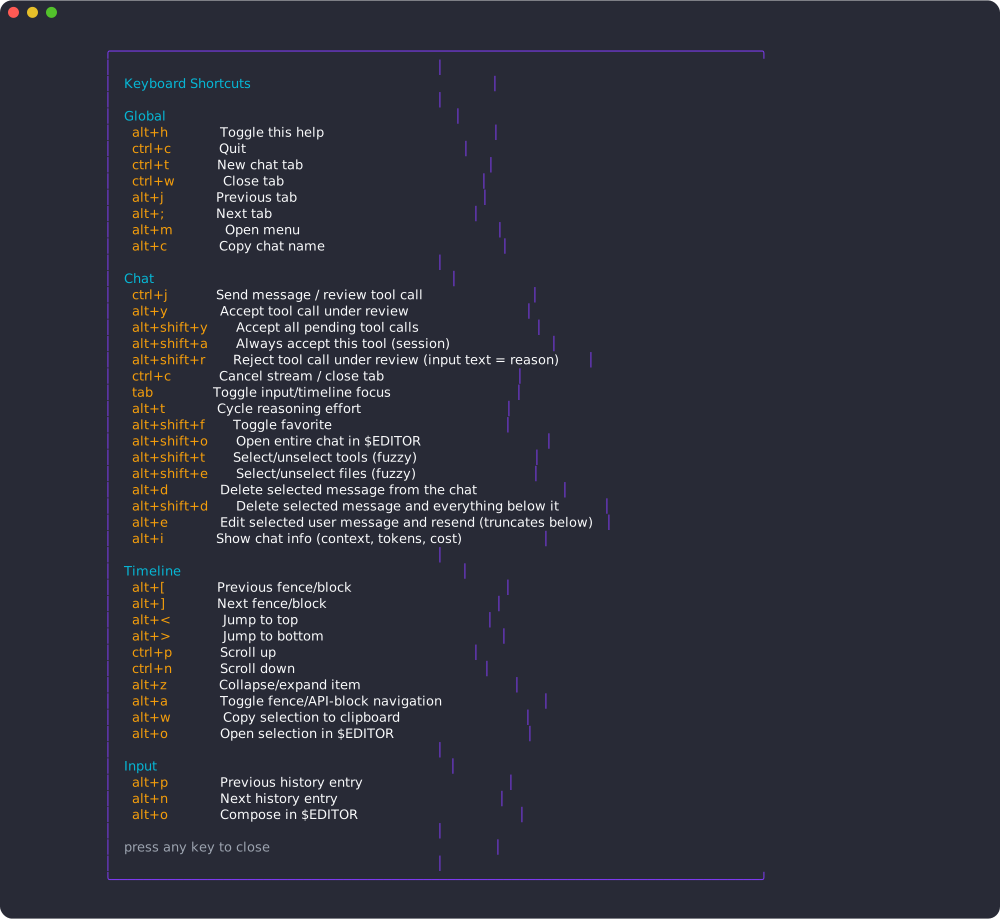
alt+h shows the full keymap at any time.