
Tools & review
Tools are how the model acts. Every tool call goes through the same pipeline: review (compute what to show, decide whether to auto-run), then execute, then the result is sent back as a message.
Built-in tools
Section titled “Built-in tools”| Tool | Effect | Review |
|---|---|---|
read_files |
Read one or more files | auto |
search_lores |
Regex search over lore libraries | auto |
exec_shell |
Run a shell command | manual |
diff |
Apply a unified diff to a file | manual |
replace |
Apply exact search/replace patches | manual |
agent |
Launch a sub-agent | manual |
Auto-execution is not a hardcoded list: a tool auto-runs when its RPC is
declared idempotency_level = NO_SIDE_EFFECTS. The same rule applies to
remote tool engines, so a GetIssue runs silently while UpdateIssue
waits for you.
What you see
Section titled “What you see”Each tool renders its own request:
exec_shellshows the command as ashcode block;diffandreplaceshow a unified diff computed at review time — the patch has already been applied to a copy and validated, so what you approve is exactly what lands;- engine RPCs show
Service/Methodand the request as JSON.
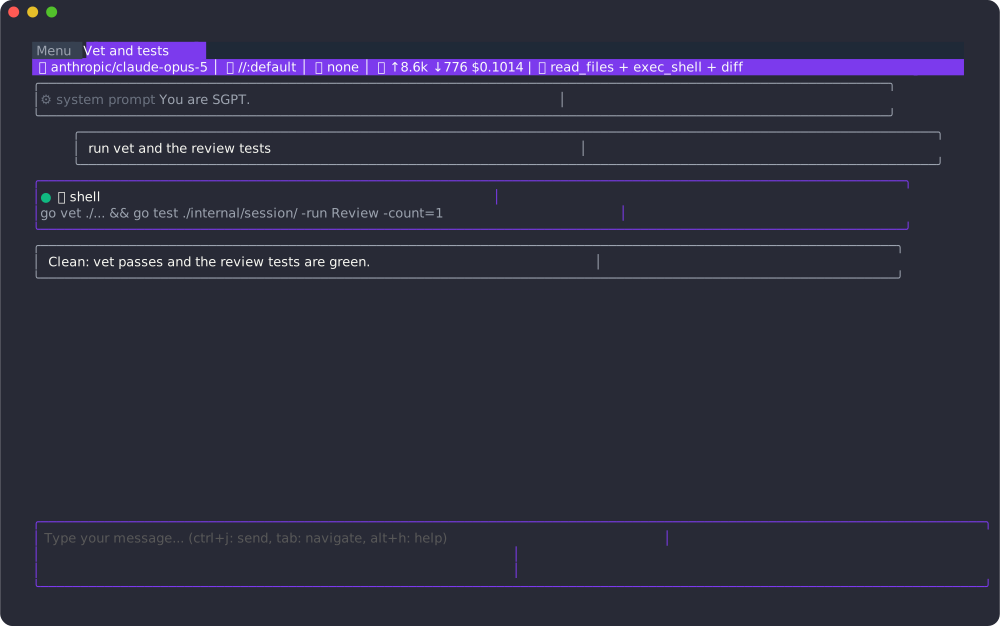
Verdicts
Section titled “Verdicts”When a call awaits review the status line says so and the input box turns into a reason field:
| Key | Verdict |
|---|---|
| alt+y | Accept the call under review |
| alt+shift+y | Accept every pending call |
| alt+shift+r | Reject; the input text is sent back as the reason |
| alt+shift+a | Always accept this tool for the rest of the session |
A rejected call returns an error result carrying your reason, so the model can adjust rather than retry blindly. Cancelling a turn (ctrl+c) marks every unresolved call as never run.
Choosing tools
Section titled “Choosing tools”Tools are the union of three sources, deduplicated:
--tool nameon the command line (repeatable);@tool(...)directives of the role (and included roles);chat.default_toolsfrom the configuration.
Inside a chat alt+shift+t opens a fuzzy picker to toggle any tool — built-in or engine — for the current chat.